
ChartBars

View as Markdown

The ChartBars class provides GUI access related methods and properties to the primary bars series configured on the Chart through the Data Series menu. For data access information related to the NinjaScript input’s bars series, please use the Bars Series object (or the BarsArray for multi-series input).

A ChartBars object will ONLY exist should the hosting NinjaScript type be loaded through a Chart. For example, a Strategy would have access to a ChartBars property when running on a Chart, but would NOT when loaded through the Strategies Grid or Strategy analyzer.
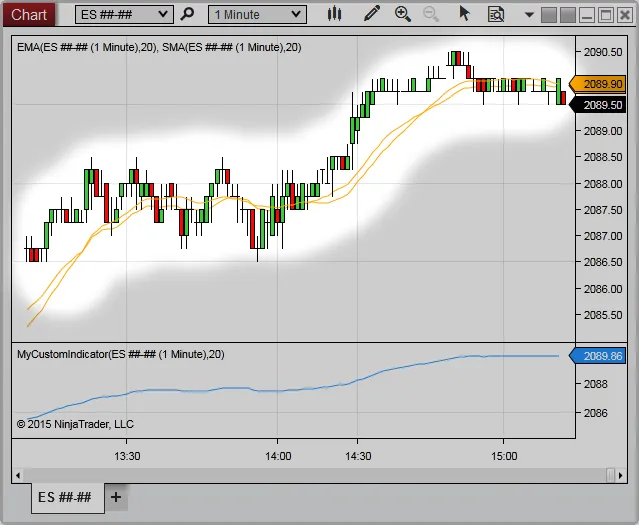
ChartBars

It is crucial to check for object references before accessing the ChartBars otherwise possible null reference errors can be expected depending on where the NinjaScript object was started. See example below.

Methods and Properties

Method/PropertyDescription
BarsData returned from the historical data repository.
CountThe total number of ChartBars that exist on the chart.
FromIndexAn index value representing the first bar painted on the chart.
GetBarIdxByTime()An ChartBar index value calculated from a time value on the chart.
GetBarIdxByX()Returns the ChartBar index value at a specified x-coordinate relative to the ChartControl.
GetTimeByBarIdx()The ChartBars time value calculated from a bar index value on the chart.
PanelThe Panel index value that the ChartBars reside.
PropertiesVarious ChartBar properties that have been configured from the Chart’s Data Series menu.
ToChartString()A string formatted for the Chart’s Data Series Label as well as the period.
ToIndexAn index value representing the last bar painted on the chart.

Examples

1protected override void OnStateChange()
2{
3 if (State == State.DataLoaded)
4 {
5 if(ChartBars != null)
6 {
7 Print("The starting number of bars on the chart is " + ChartBars.Bars.Count);
8 }
9 else
10 {
11 Print("Strategy was not loaded from a chart, exiting strategy...");
12 return;
13 }
14 }
15}