Using
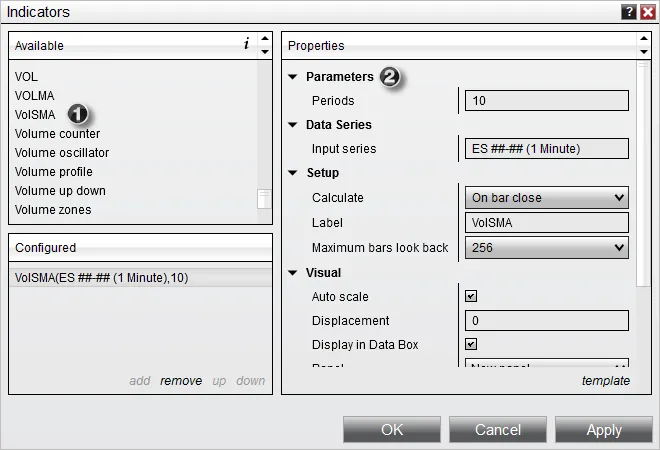
Your indicator is now ready for use and will be listed in the Indicator Dialog window.
-
The indicator can now be found in the “Available” section of the Indicators window
-
Once added to the “Configured” section, our user-defined inputs can be entered along with standard indicator properties.
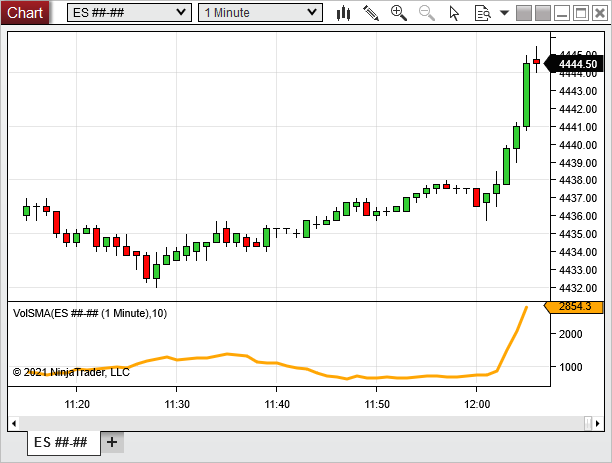
Once applied to a chart, the indicator should look something like the image below.